

Lenovo Yoga Screen Flicker (Causes, Fixes & Complete Troubleshooting Guide)
If you are experiencing lenovo yoga screen flicker, you’re not alone. Screen flickering is a common issue in Lenovo Yoga laptops and can be extremely annoying, especially when you are working, watching videos, or attending online meetings.
The problem can appear in different ways. Sometimes the screen flickers continuously, while in other cases it happens randomly or only when moving the lid. The causes can range from simple software glitches to hardware problems.
The good news is that most flickering issues can be fixed without expensive repairs. In this complete guide, you’ll learn the causes, solutions, and prevention tips to fix Lenovo Yoga screen flickering.
Read Also: Lenovo Yoga Screen Flashing
What Does Lenovo Yoga Screen Flicker Mean?
Screen flickering means your display:
- Rapidly flashes
- Blinks on and off
- Shows unstable brightness
It may also include:
- Horizontal or vertical lines
- Distorted display
- Temporary black screen
Understanding the type of flicker helps identify the cause.
Common Causes of Lenovo Yoga Screen Flicker
1. Outdated or Corrupted Graphics Drivers
This is one of the most common causes.
When drivers are outdated:
- Display becomes unstable
- Screen flickers frequently
2. Display Refresh Rate Issue
Incorrect refresh rate can cause:
- Flickering
- Screen instability
3. Loose Display Cable
Inside the laptop, a cable connects the screen to the motherboard.
If loose:
- Flickering occurs when moving lid
4. Hardware Damage
Physical damage can cause:
- Permanent flickering
- Display distortion
5. Software Conflicts
Certain apps can cause flickering, especially:
- Third-party display tools
- Graphics-heavy applications
6. Windows Updates Issues
Sometimes after updates:
- Screen flicker starts
Quick Fixes (Try First)
Before trying advanced methods, start with these simple solutions.
1. Restart Your Laptop
- Restart system
- Check if issue persists
2. Check Task Manager
Steps:
- Press Ctrl + Shift + Esc
- Observe screen
Result:
- If Task Manager flickers → hardware issue
- If not → software issue
3. Update Windows
- Go to Settings
- Check for updates
How to Fix Lenovo Yoga Screen Flicker
Fix 1: Update Graphics Drivers
Steps:
- Open Device Manager
- Expand Display Adapters
- Update driver
- Restart laptop
This fixes most flickering issues.
Fix 2: Adjust Refresh Rate
Steps:
- Right-click Desktop
- Display Settings
- Advanced Display Settings
- Set correct refresh rate
Fix 3: Disable Hardware Acceleration
In apps like Chrome:
- Go to settings
- Turn off hardware acceleration
Fix 4: Boot in Safe Mode
If flickering stops in Safe Mode:
- Problem is software-related
Fix 5: Roll Back Drivers
If issue started after update:
Steps:
- Open Device Manager
- Roll back driver
How to Check for Hardware Issues
External Monitor Test
Steps:
- Connect external display
Results:
- External display fine → screen issue
- Both flicker → GPU issue
Lid Movement Test
Move screen slowly.
If flickering changes:
- Cable issue
Advanced Fixes
1. BIOS Update
Updating BIOS can fix compatibility issues.
2. Reset Windows
If software issue persists:
- Reset system
3. Replace Display Cable
If cable is loose or damaged:
- Replace it
4. Screen Replacement
If screen is damaged:
- Replace display
Common Lenovo Yoga Flicker Scenarios
Flicker When Moving Screen
Cause:
- Loose cable
Flicker After Update
Cause:
- Driver conflict
Flicker Only in Apps
Cause:
- Software issue
Repair Cost (2026 Estimate)
| Problem | Price Range |
|---|---|
| Screen replacement | Rs. 10,000 – 20,000 |
| Cable repair | Rs. 2,000 – 5,000 |
| GPU repair | Rs. 10,000 – 18,000 |
Tips to Prevent Screen Flickering
- Keep drivers updated
- Avoid physical damage
- Use proper power supply
- Avoid overheating
Common Mistakes Users Make
Avoid these:
- Ignoring driver updates
- Using outdated software
- Applying random fixes
When to Seek Professional Help
You should visit a technician if:
- Flickering is constant
- Screen is physically damaged
- Issue persists after all fixes
DIY vs Professional Repair
DIY Fixes
- Driver update
- Refresh rate change
- Restart
Professional Repair
- Screen replacement
- Cable repair
Is Lenovo Yoga Screen Flicker Serious?
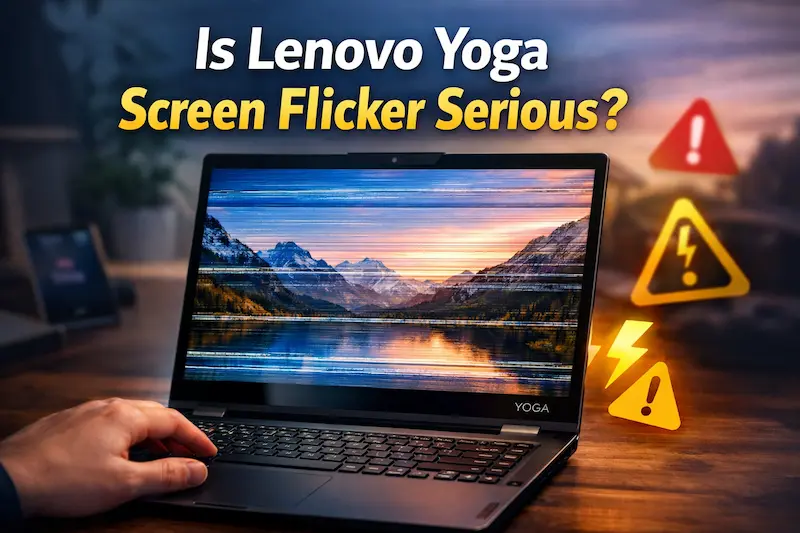
Not always.
Minor Cases:
- Software issue
- Easy fix
Serious Cases:
- Hardware damage
- Requires repair
Final Verdict
The lenovo yoga screen flicker issue can be caused by both software and hardware problems. Most cases are related to outdated drivers or incorrect settings and can be fixed easily.
However, if the issue is due to hardware damage, professional repair may be required. By following the correct troubleshooting steps, you can identify and fix the problem effectively.
Also visit Digital Global Times for more quality informative content.
