
Intel GMA 900 Windows XP Media Center Edition 2005: Drivers, Setup & Performance Guide
What Is Intel GMA 900?
Intel GMA 900 (Graphics Media Accelerator 900) is an integrated graphics processor introduced by Intel in 2004. It was designed for basic graphical tasks such as video playback, office applications, and light multimedia.
Learn more about Intel graphics history on
Wikipedia and official Intel documentation at Intel Support.
Key Features of Intel GMA 900
- Integrated GPU (no dedicated VRAM)
- Supports DirectX 9 (limited)
- Shared system memory architecture
- Basic 2D and 3D acceleration
About Windows XP Media Center Edition 2005
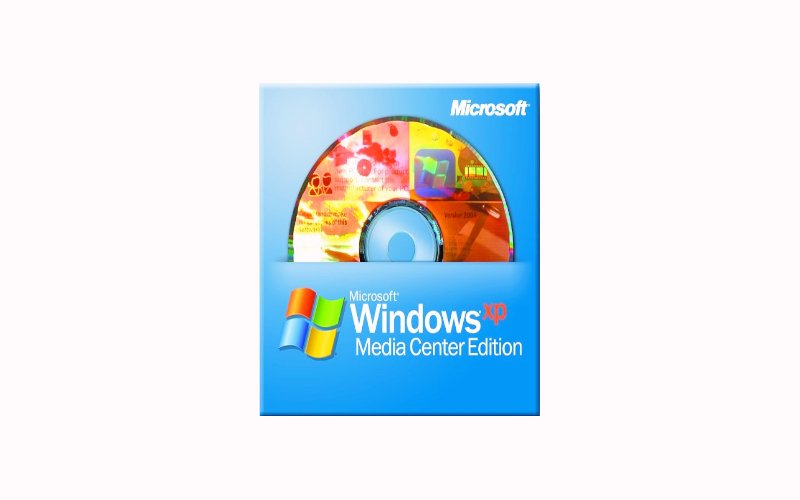
Windows XP Media Center Edition 2005 was a special version of Windows XP designed for home entertainment systems. It included features for watching TV, playing media, and managing digital content.
More details can be found on Windows XP Media Center Edition Wikipedia.
Main Features
- Media Center interface
- TV tuner support
- Remote control compatibility
- Enhanced multimedia playback
Intel GMA 900 Compatibility with Windows XP MCE 2005
The Intel GMA 900 Windows XP Media Center Edition 2005 combination is fully compatible, as both were released in the same era.
| Component | Compatibility |
|---|---|
| Intel GMA 900 | Fully Supported |
| DirectX Version | DirectX 9 (limited support) |
| Driver Availability | Official Intel Drivers Available |
| Media Center Features | Supported with proper drivers |
How to Install Intel GMA 900 Drivers on Windows XP MCE 2005
Step-by-Step Installation Guide
- Download the correct driver from Intel or trusted sources
- Extract the driver files
- Open Device Manager
- Locate “Display Adapter”
- Right-click and select “Update Driver”
- Choose “Install from specific location”
- Select the extracted driver folder
Official driver downloads can be found via Intel Download Center.
Best Driver Versions for Intel GMA 900
Choosing the correct driver is critical for performance and stability.
| Driver Version | Release Year | Notes |
|---|---|---|
| 14.25 | 2006 | Most stable version |
| 6.14.10.x | 2005 | Official XP support |
| OEM Drivers | Varies | Best for specific systems |
Performance of Intel GMA 900 on Windows XP MCE 2005
The Intel GMA 900 Windows XP Media Center Edition 2005 setup delivers decent performance for basic tasks but struggles with modern workloads.
What It Can Handle
- DVD playback
- Basic video streaming
- Office applications
- Old games
Limitations
- No modern gaming support
- Limited 3D acceleration
- No hardware HD decoding
Common Issues and Fixes
1. Black Screen After Driver Install
Solution: Boot into Safe Mode and reinstall a compatible driver.
2. Low Resolution Problem
Solution: Install proper drivers and update display settings.
3. Media Center Not Working Properly
Solution: Ensure DirectX 9 is installed from Microsoft DirectX download page.
DirectX and Multimedia Support
Intel GMA 900 supports DirectX 9, which is essential for running multimedia applications in Windows XP MCE.
Learn more about DirectX at DirectX Wikipedia.
Tips to Improve Performance
- Increase system RAM (at least 1GB recommended)
- Disable unnecessary startup programs
- Use lightweight media players
- Keep drivers updated
System optimization tips are also available on PCWorld.
Comparison with Other Integrated GPUs
| GPU | Performance | DirectX Support |
|---|---|---|
| Intel GMA 900 | Basic | DirectX 9 |
| Intel GMA 950 | Improved | DirectX 9 |
| NVIDIA GeForce 6200 | Better | DirectX 9c |
Use Cases in 2025
Even today, some users still search for Intel GMA 900 Windows XP Media Center Edition 2005 for:
- Retro PC builds
- Legacy software support
- Offline media centers
- Educational purposes
FAQs About Intel GMA 900 Windows XP Media Center Edition 2005
Is Intel GMA 900 compatible with Windows XP MCE 2005?
Yes, it is fully compatible with proper drivers installed.
Can it run modern games?
No, it is only suitable for older games and basic graphics tasks.
What is the best driver version?
Version 14.25 is considered the most stable.
Does it support HD video?
No, it lacks hardware acceleration for HD playback.
Where can I download drivers?
From the official Intel Download Center.
Conclusion
The Intel GMA 900 Windows XP Media Center Edition 2005 setup remains a reliable solution for legacy systems and retro computing enthusiasts. While it cannot handle modern workloads, it performs well for basic multimedia and classic applications.
By installing the correct drivers, optimizing system settings, and understanding its limitations, you can still get stable and functional performance from this classic hardware setup.
