
Lenovo Yoga Screen Flashing
If your device is experiencing lenovo yoga screen flashing, you’re likely dealing with a display-related issue that can range from a simple software glitch to a hardware fault.
Screen flashing or flickering is a common issue in Lenovo Yoga laptops, especially because they combine touchscreen functionality with flexible display modes. The problem may appear as blinking, rapid flashing, or intermittent display instability.
The good news is that most cases can be fixed without replacing the screen. In this complete guide, you’ll learn the exact causes, practical fixes, and how to identify serious hardware problems.
Read Also: Lenovo Laptop Screen Flickering Horizontal Lines
What Does Lenovo Yoga Screen Flashing Mean?
Screen flashing means your display is repeatedly turning on and off or rapidly refreshing in an unstable way.
You may notice:
- Screen blinking continuously
- Flickering when moving the laptop
- Flashing during startup or login
This issue can be caused by:
- Software problems (drivers, settings)
- Hardware issues (screen, cable, GPU)
Main Causes of Lenovo Yoga Screen Flashing
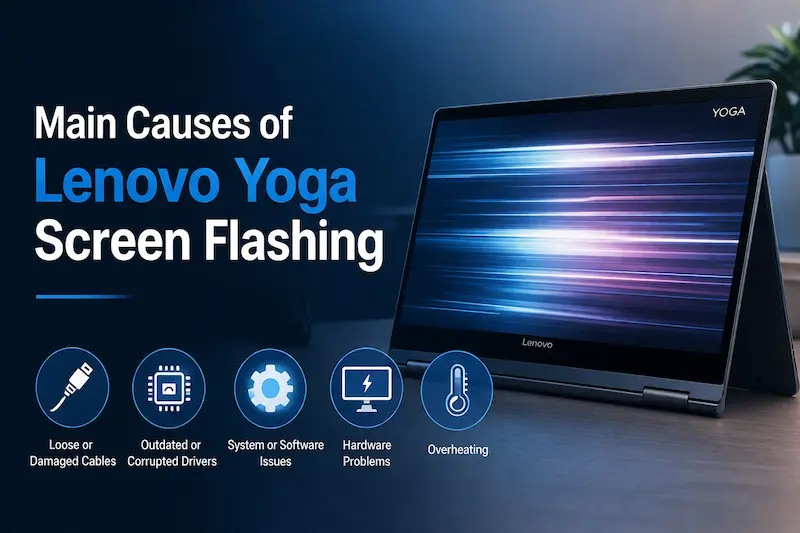
Understanding the cause is essential before applying any fix.
Display Driver Issues
One of the most common causes is corrupted or outdated display drivers.
When drivers are not working properly:
- The screen may flicker
- Display becomes unstable
- Flashing occurs during use
Updating or reinstalling drivers often resolves this issue.
Touchscreen Conflicts
Lenovo Yoga laptops use touchscreen technology, which can sometimes conflict with display drivers.
In some cases:
- Touchscreen input causes flickering
- Driver conflicts trigger flashing
This is a unique issue specific to Yoga models.
Incorrect Refresh Rate
If your refresh rate is not set correctly:
- Screen may flicker
- Display may appear unstable
Setting the correct refresh rate can fix the issue quickly.
Hardware Problems
If the issue is not software-related, it may be caused by:
- Loose display cable
- Damaged LCD panel
- Failing GPU
Hardware issues usually require repair.
Quick Fixes (Try First)
Before moving to advanced solutions, try these simple steps:
- Restart your laptop
- Close unnecessary applications
- Disconnect external devices
These basic actions can fix temporary glitches.
How to Fix Lenovo Yoga Screen Flashing
Now let’s go through proven solutions step by step.
Update or Reinstall Display Drivers
Steps:
- Open Device Manager
- Uninstall display driver
- Restart your laptop
- Install latest driver
This is one of the most effective fixes.
Disable Touchscreen (Test Method)
To check if the touchscreen is causing the issue:
Steps:
- Open Device Manager
- Find Human Interface Devices
- Disable touchscreen
If flashing stops, the issue is related to touchscreen drivers.
Adjust Refresh Rate
Steps:
- Right-click desktop
- Go to Display Settings
- Set recommended refresh rate
This can stabilize the display.
Run Windows Troubleshooter
Steps:
- Go to Settings
- Select Troubleshoot
- Run display troubleshooter
This can automatically fix minor issues.
How to Diagnose Hardware vs Software Issue
You must identify the root cause before deciding on repair.
Test 1: BIOS Check
- Restart laptop
- Enter BIOS
- Check if flickering appears
If flickering exists in BIOS → hardware issue
Test 2: External Monitor
- Connect external display
Results:
- External display normal → screen issue
- Both screens flicker → GPU issue
When You Need Screen Repair
You should consider repair if:
- Flickering persists after fixes
- Screen shows lines or distortion
- Issue worsens over time
This indicates hardware damage.
Repair Cost in 2026
Estimated costs:
| Repair Type | Price Range |
|---|---|
| Display cable repair | Rs. 2,000 – 4,000 |
| Screen replacement | Rs. 10,000 – 20,000 |
| GPU repair | Rs. 12,000 – 25,000 |
Prevention Tips
To avoid screen flashing issues:
- Keep drivers updated
- Avoid overheating
- Handle laptop carefully
- Avoid installing unstable updates
Final Verdict
The lenovo yoga screen flashing issue is usually caused by driver conflicts or display settings, but it can also indicate hardware failure.
Start with simple fixes like updating drivers and adjusting settings. If the problem continues, use diagnostic methods to determine whether repair is needed.
Understanding the cause is the key to solving the issue effectively.
Also visit Digital Global Times for more quality informative content.
